The OpenUncensored desktop app now runs on Windows 10 and 11, as well as on the Mac. It is an uncensored AI assistant on your own computer: it chats, it works on your files and runs code as a coding agent, and it generates and now edits images, on any of the uncensored models on OpenUncensored.
This release also adds two things people asked for: branching conversations and image editing with reference pictures.
Install it
Windows (10 or 11, 64-bit): open PowerShell and run
irm https://openuncensored.com/install.ps1 | iex
or download the installer. The installer is not code-signed yet, so Windows may show "Windows protected your PC": click More info, then Run anyway. The PowerShell command skips that step. It installs for your user only, so no administrator password is needed.
Mac (Apple Silicon): open Terminal and run
curl -fsSL https://openuncensored.com/install.sh | sh
Then paste an OpenUncensored key, or buy credits inside the app. Both versions update themselves.
What is new
Windows. The same app as on the Mac: chat, the coding agent, image generation and editing, and the model picker ranked by the OpenUncensored Score. On Windows the agent runs commands in PowerShell and knows it, so it writes PowerShell rather than bash. Before shipping, this release ran end to end on a clean Windows 11 machine: it generated an image, edited it, wrote and ran a program, branched a conversation, and restarted.
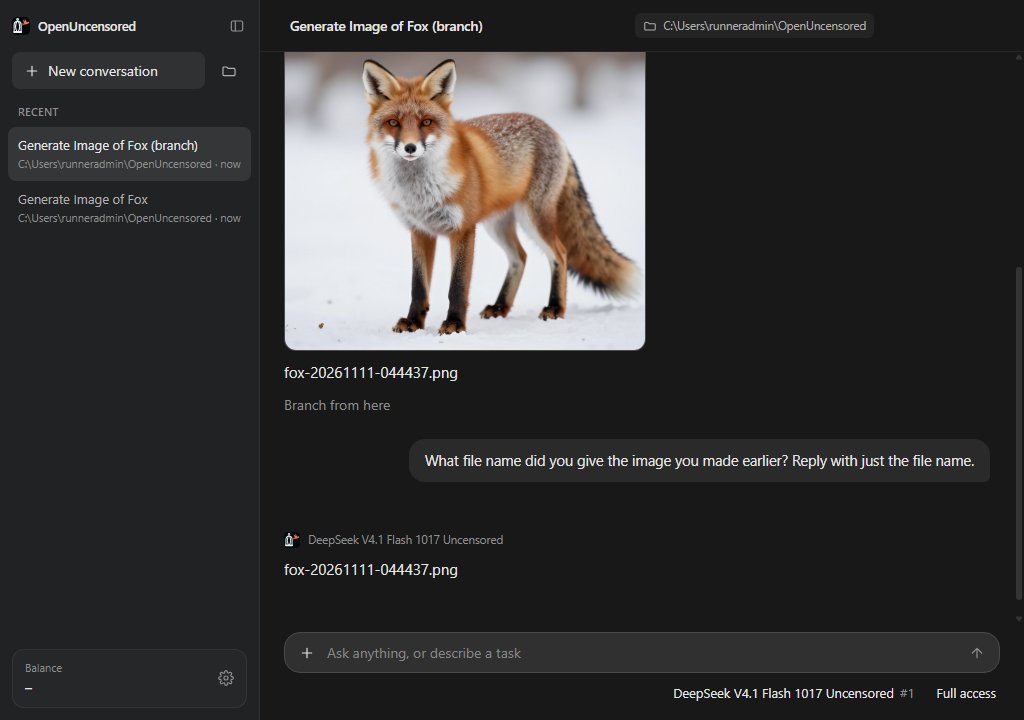
Branch a conversation. Hover any reply and click Branch from here to try a different direction in a new conversation, while the original stays exactly as it was. Hover one of your own messages and click Edit in a branch to change it and send it again. The agent in a branch remembers everything up to the branch point, including the files it made, and the branch links back to where it came from.
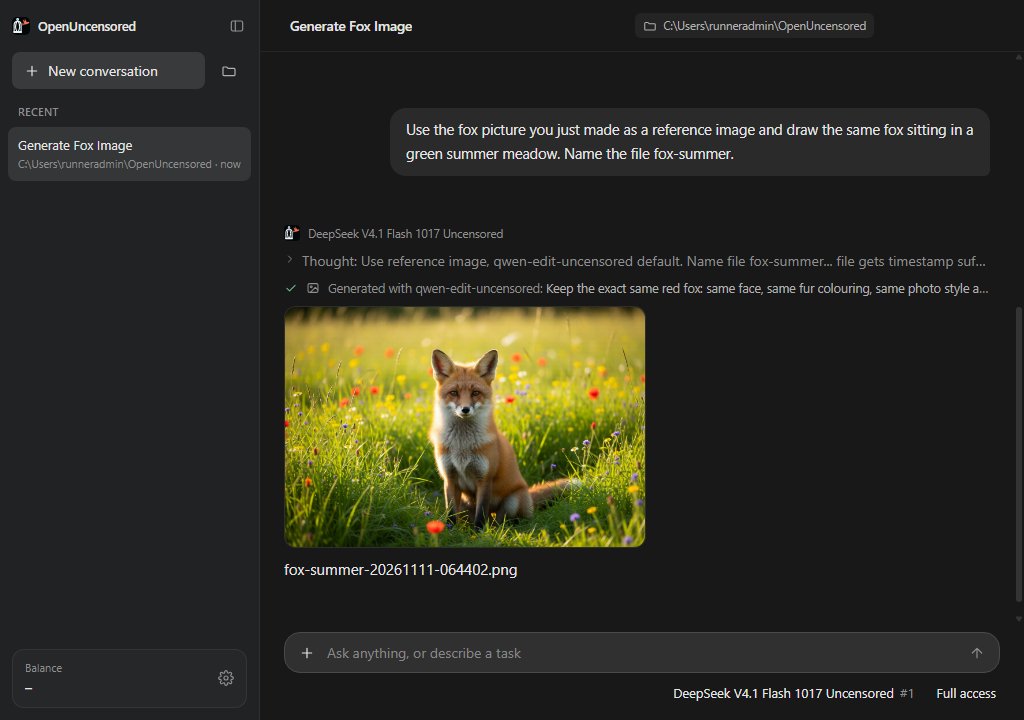
Edit images with references. Give the assistant existing pictures (your character, a photo, an earlier result) and ask for a new scene, pose or style. It keeps the same face and outfit, using Qwen Edit Uncensored by default, or any editing model you name. More in the image editing announcement.
What it costs
The app is free. You pay only for what you use from your prepaid credits: model usage for chat and the agent, and a few cents per image. Your balance is a hard cap, so there are no surprise bills.
The code is open
The app is open source: github.com/DhruvAtreja/open-uncensored-desktop. Each release on GitHub has the Mac zip and the Windows installer, with their checksums.